
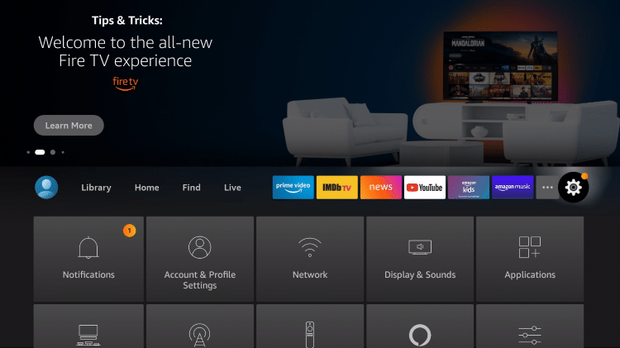
Use the steps below to allow Unknown Sources on your Amazon Firestick or Fire TV device.
We first suggest installing the Downloader App on your device if you haven’t already.
 From the home screen of your Firestick or Fire TV, hover over the Settings icon.
 Click My Fire TV.
 Click Developer options.
 Click Install or turn on unknown apps.
Turn On ADB Debugging
Click Install or turn on unknown apps.
Turn On ADB Debugging
From the home screen of your Firestick or Fire TV, hover over the Settings icon.
Click My Fire TV.
Click Developer options.
Click Install or turn on unknown apps.
Turn On ADB Debugging